Showing posts with label Assignment 1. Show all posts

Monday, 2 December 2013

Assignment 0ne - Notes on Feedback

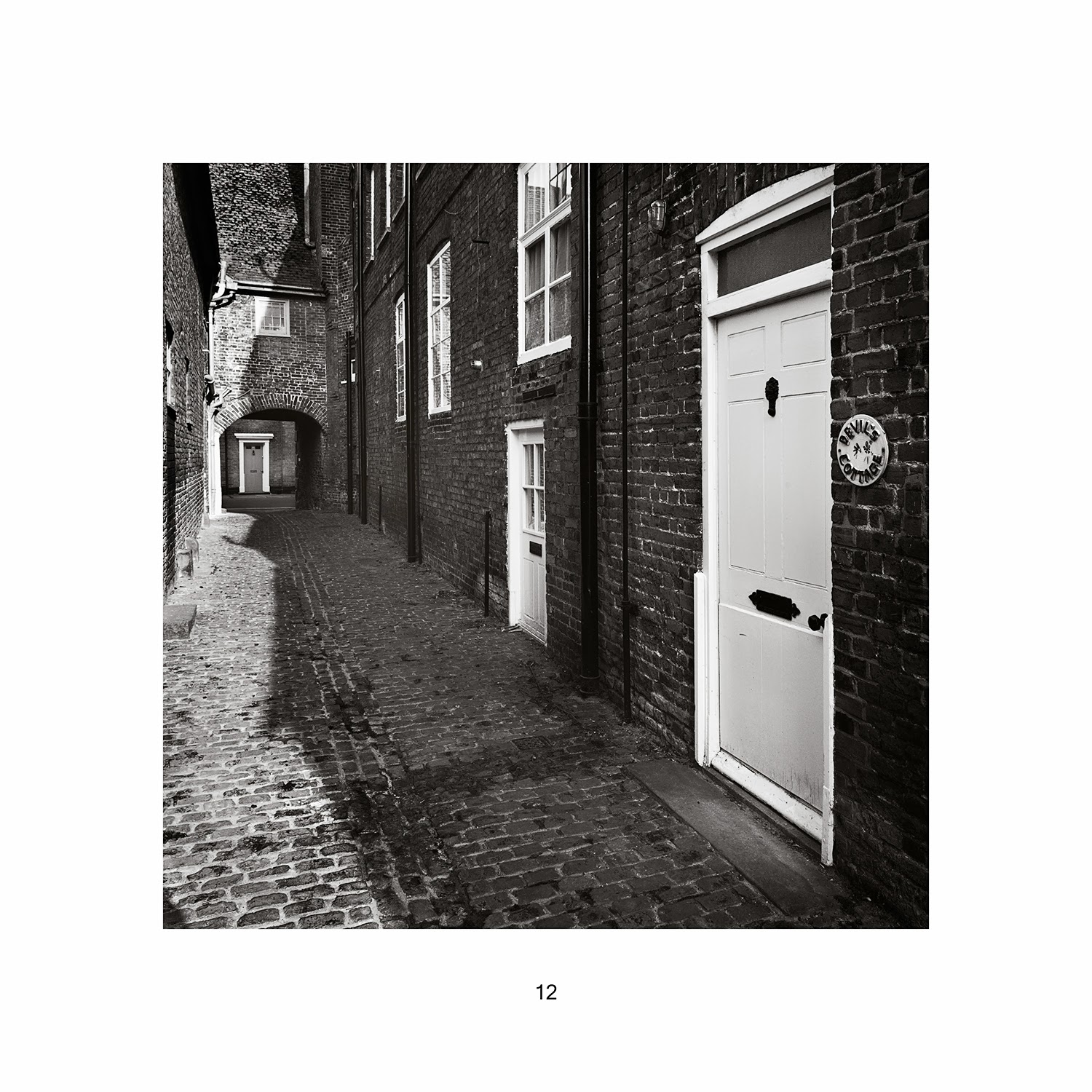
The feedback for this was mixed (very few issues technically but concern over my engagement) and there is one phrase that took my attention. "From the images you submitted I do get a sense of your neighbourhood but in quite a detached / almost brochure like way."  Although there is a hint of criticism and disapproval I am not surprised by my tutors reaction. I had taken an approach that would illustrate the area but had not explained my intentions in sufficient detail. I had concentrated on a small part of the town rather than the cliched modern townscape and the struggle to encapsulate nine square miles into 12 images. The results would have been similar to any market town in the UK, showing the result of a five year recession and the increase in urban decay. Illustrating the recession and urban decay would of course be open to interpretation and a number of metaphors are available to portray this.The intention was to show a small area in a style that reconstructed the images of Eugene Atget and his work in the old parts of Paris around 1897 - 1927. Atget's work is nowadays considered with the highest regard but at the time he was not offering his work as Art. It was commissioned by the authorities for record images prior to demolition and development and perhaps considered documentary.  His retail business was selling photographs to artists visiting Paris so that they could on their return home paint the scene he had taken. The sign above the door of his shop did not describe himself as a photographer, instead it read "Documents pour Artistes" and being curious about this Man Ray visited him one day and purchased prints and started a  small collection of work that today is kept in George Eastman House, Rochester, NY.

While considering the implications of the feedback I had time to shoot a few images much closer to home. The village has Common Land where "Commoners" have rights to graze cattle. The common is a mysterious place on the west side of the village and at the edge of the Fenland. It is a wet area that attracts mists and apart from the simplest of maintenance is generally unkempt.


Wild Wood


Depression 


Abandoned 


No Road #1


No Road #2

Conclusion

This assignment has not been easy. Following the completion of P2: Landscape I had a year away from The OCA and the result is that I have lost the rhythm and practice of academic photographic study. I have not been able to gauge the pace and the result is trying to work too quickly and get an assignment in, probably ahead of time. I am also finding myself acting too commercially in my thinking. My own business deals with time as a commodity, coupled to resources and a cost. 

My greatest hurdle is to think less literally and be less cautious. I need to experiment more with conceptual ideas and make images that are less predicable. 


Friday, 1 November 2013

Assignment One - Completed and dispatched.

Further editing down to the 12 used (of the 300 taken) took a while as there is probably 20 or so that would make a larger piece of work sometime in the future. The toning was changed to a tritone that had been used before in Landscape. The tonality is slightly reduced from a normal contemporary monochrome and this is sympathetic with the imagery and the underlying feel of the period. Although the brief ask for digital files I printed onto HP semi gloss with gloss enhancer and sent these at 9.5" square with 2" white borders to my tutor along with a USB stick containing large tiffs and web prepared jpgs. Hard copy and text files of the write up together with a hanging layout were included. This quick piece of work ( well 1 month for an assignment is quick for me) has got me back into OCA photography and as always there is a residual effect that was not evident at the start. I enjoyed it, and the prospect of returning to this area of the town and its architecture is appealing.


Monday, 14 October 2013

Assignment 1 - Style change.

I am getting a little concerned with the time I am taking to produce this assignment, which according to the course notes should take zero hours. Two three hour visits have been made to the old quarter of the town and a large number of images taken. A few images have been processed (see previous post) and prints made in a style similar to that of Eugene Atget era in Paris around the turn of the last century. This hasnt worked as I predicted as the toning is not correct. It is too yellow/brown and too close to a clichéd sepia tone although processed with a bespoke process and not from a simply "click here for Sepia" routine. I am looking at two alternatives, both of which are acceptable and the final choice will be made when the portfolio is seen.

Thursday, 3 October 2013

Assignment 1

Nikon D3 24mm T/S

Workflow

Current workflow is detailed here as an aide memoir for future use and removes a number of post it notes from the desk.
Workflow for Monochrome - Assignment  1

1. Raw file conversion

1.       Open in ACR

2.       Lens correction

3.       Curve to Linear

4.       No sharpening

5.       Colour Temp - check as this can make difference

6.       Remove clipping

7.       No changes to contrast etc made here

8.       Open in PS

9.       Save Raw in Raw Folder

2. Photoshop basic monochrome conversion

1.       Open in CS5

2.       Save as 16 bit Tiff in Tiff 1 folder

3.       Capture sharpen with Photokit  capture sharp Digital High Res - Medium. Check at 100%.

4.       View at 100% Ctrl +1   Ctrl +0 Fill Screen

5.       Flatten Ctrl +E twice

6.       Save as basic Tiff for use in Tiff 1 folder

7.       Correct perspective.

8.       Crop to new aspect ratio. Removal of part of the file will change histogram, reset  000 and 255

9.       Convert to mono using channel mixer, use a film preset

10.   Save as basic mono Tiff in Mono Tiff folder (with linear curve)

To this point the workflow is a standard technical procedure. From here the workflow will need to provide control and artistry that defines the presence of the image .

3. Photoshop - Diagnose the image.

1.       Always work on new layer.

2.       Add Layer Ctrl + J

3.       Add 10 Gausian Blur, stand well back from screen, 10 feet or so and analyse the tonal range, out of place areas of dark/light, low/high contrast and make note of requirements.

4.       Delete Layer


4. Photoshop - Adjust Tonal Range, add toning, retouch, adjust for printing.

Tone mapping with masks to introduce curves to various areas, some areas low contrast, maybe some high. NB Image has no curve at this stage.

5. Typically

1.       Add Layer Ctrl + J

2.       Work on Layer, Ctrl + L to open curves. Small areas at a time with small amounts of adjustment, say no more than 20% of image is under consideration. Possible with this method to have low contrast and high contrast within the same image.

3.       Alt + add vector mask, Adjustments will disappear behind a black mask

4.       Take a soft brush with 20 - 50 % opacity and set to white.

5.       With tablet pen paint in the adjustment to area under consideration

6.       Error corrections are made by changing brush to black and painting in correction.

7.       On completion, Ctrl +E to flatten or if need to return make next Layer for next area.

With any partial adjustment Layer  using curves (and never touching the endpoints) will result in an image with full tonal range and retained  000 and 255 limits as set in the Raw conversion.

Additional partial contrast can be applied with USM at 20,60,4

6. Additionally

The History Brush is used to make minor adjustments

1.       Multiply - darkens a local area

2.       Screen - lightens a local area

3.       Colour Dodge - lightens extreme small highlights

4.       Colour Burn - darkens extreme small shadows

5.       Soft Light - increases contrast in areas of light and dark

7. Edges

Paint with History Brush  (very small brush)  along edges

1.       Multiply 10-20%

2.       Colour Dodge 7-10%

Save As at any stage in the process to allow retrieval of part completed image.

When complete Save in Mono Tiffs folder with text to describe adjustments.

For this assignment I need a toned image and the Colour Balance method is chosen

8. Photoshop - Add Colour to simulate Albumen print.

1.       Add colour balance Layer

2.       Shadows       +26

3.                           +3

4.                           -31

5.       Highlights        0             

6.                             0

7.                           -15

8.       Delete White layer mask

9.       Add Black Layer mask

10.   Paint colour as required, mostly close too all over at 100%, but mask and opacity allows to lighten if required.

11.   Flatten Image

12.   Add Hue/Saturation Layer

13.   Set Saturation to -23

14.   Levels - set output to 251, not 255 to prevent bleed and paper white in printing.

15.   Flatten Image

16.   Return to adding a layer and changing curve locally to darken/vignette etc.

17.   Flatten Image

18.   Save As Fully Modified Tiff in Tiff Folder

9. Notes:

For printed output activate Soft Proof Ctrl+Y with paper type in custom set up.

For web change profile to sRGB

Image is unsharpened.
For web resize to 1024 on longest side, Photokit output sharp for web, changed to SRGB.

For printing, no change, output through Qimage at 12.

For stock (Alamy) no sharpening. Follow Alamy spec.

Tuesday, 1 October 2013

Assignment 1 - Style

Spent time today working on the major element of presentation style with a new workflow (which I will detail later) to deliver a feeling for the buildings and streets I am showing in this assignment. Discussed below we know I am only looking at the old areas of the town and I need a style that enhances that.
This is a proof of the style, it is not likely to be in the portfolio.

Nikon D3 24mm T/S 1/125 f8 ISO 640

Monday, 30 September 2013

Assignment 1 - First shoot

Despite my last post I decided to try and do this work with the 24mm T/S lens. I need to consider the architecture, the tight shooting locations and the Atget in me at the moment. So, armed with the D3 and the 24mm I spent an hour in the area just off the Tuesday market place, in alleyways, around the stage door at the arts centre and in Ackemans yard. Forty or so on a day that was too sunny really but I needed to get out there and test some of my theories. The Raw files of course look disappointing, but that is not a problem as they will all undergo thorough post process. The ultra wide focal length of the 24mm is sometimes a nuisance, especially when there is foreground, but the emptiness of the area is part of the overall concept, so I will leave my normal thoughts of filling the foreground alone for this. Atget never photographed anything in Paris that was a landmark. The Eiffel tower is in the distance in one or two and on that basis I am leaving out the touristy landmark buildings. In fact so far it is mostly off the beaten track where people once worked. The occasional sign of life is where boutique styled artisans or small businesses have rented a room and there is a tiny sign. I will PP some tomorrow and if too contrast wait till later in the week when the forecast is for dull and overcast.  

Tuesday, 24 September 2013

Assignment 1 - Alternative location

It occurred to me that instead of where you live for this assignment I could look at where I would "like to live". If this were the case it is Menorca and the city of Mahon. While there in June I had this assignment in mind and did a few images of the less well known areas. The Mediterranean light is clear and powerful. Predominately white walls act as reflectors on every street corner and there is never any deep shadow to challenge the DR. This is only out of box thinking and as I have processed one I will include it here.


Mahon street corner.
Leica M9P 35mm Summicron 1/1000 f8 iso 200

Saturday, 21 September 2013

Assignment 1 Further thoughts.

As I research the locations for this it is becoming clear that the requirement to show/imply a human presence is difficult. The old part of the town isnt really inhabited by anyone, or thats how it seems. This confirms a suspicion that I have had for some time. There is an overwhelming amount of interest in the historic parts of the town but that only comes from academia and its distinct amount of history and architecture. Buildings  receive funding  for restoration as and when required and then just sit there, waiting for the occasional film crew for a Dickens tale or as in 1985 when most of old parts were used for the decidedly unsuccessful film "Revolution". 


Friday, 20 September 2013

Assignment 1 - Your own neighbourhood - Plan

The course notes are always not far away and I have looked through these again. I am familiar with the general requirement having perused them at OCA head office so they hold no surprises. Its temping to rush in and start but in the background I am trying to decide where I want to be with photography and for a while at least be comfortable with my own "style". My preference for monochrome has been discussed before and I am not going justify myself again . This comes at a time when there is a resurgence of monochrome and for some it will be a passing fad and I know I am already well past that.

So, the notes ask for 12-15 photographs of where I live, show a strong sense of place, show my new tutor what I can do with the preparation of a small portfolio, showing good practice, etc etc. In fact its your best effort with a portfolio that hangs together well to deliver a message about the place and the people, whether in a covert or overt way.

Extracts from my notebook as I brainstormed some of the likely ideas.

King's Lynn - Historic market town in North West Norfolk.
Population - 41,000
Monochrome / Reduced Gamut colour
Old Town / New Town, I dont want to mix the two. No cohesion in a 12th century building and anew Tesco.
Topographic features - River Great Ouse - The Wash - A47 - Docks - Historic buildings - Industrial estates, shops.
Choose the old town , all other areas could be anywhere.
Is there enough material in old town for 15 ?
List - Foot ferry both sides, Inshore fishing fleet, Guildhall (did Shakespeare really act there ?), Town Hall and the King John saga, Trues Yard, Cobbled side streets, Railway station, Savages foundry, Red Mount Chapel, South Gate, Corn exchange, Hanseatic warehouse. This is going to be architectural. Use doorways, worn doorsteps, handrails, fixtures, fittings, letter boxes, name plates to deliver human context.

There are enough locations plus when on foot around the town others will be found that are not so obvious.

Previous portfolio errors have included, Too many focal lengths used. Aspect ratio issues, plan to use 5x4, 3x2, 6x6, and shoot as such with minimal cropping in post. Consider the need for left hand and right hand content with some neutral. 

Camera / Format.
Not yet set up to turn around 120 film and scan with solid workflow, leave till later.
Digital Rangefinder. Leica M9 or
DSLR, D3 or D800
Both will shoot Raw.
Not much space in streets so no tripod use unless I want interiors. Tripod would be needed though if bracketing to widen tonal range.

Lens choice. Need to keep to 1 or 2 that are close together so for simplicity this would be 35 summicron or 50 summilux , or 50 Elmar. Elmar is softer. No telephoto required. Extra wide in close spaces has too many issues and can look too contemporary for the overall style.

Or, opt for a more technical style and use 24mm tilt/shift and mimic view camera. 24mm requires careful use in ensuring the foreground is adequate, but would be useful in the smaller side streets. Use shift more than tilt.

Dont try to shoot both. Try one, if dont work, use alternative. May end up with 2 sets.

Time of year will play a part and the softer diffuse light of an overcast day will suite.

Style after processing.

100% monochrome or a split tone/duo tone to reflect the nature of the buildings. Maybe something like Atget in Paris for architectural.

1st shoot. Recce with M9 and 35mm and decide after proofs if suitable or need 24mm T/S.